
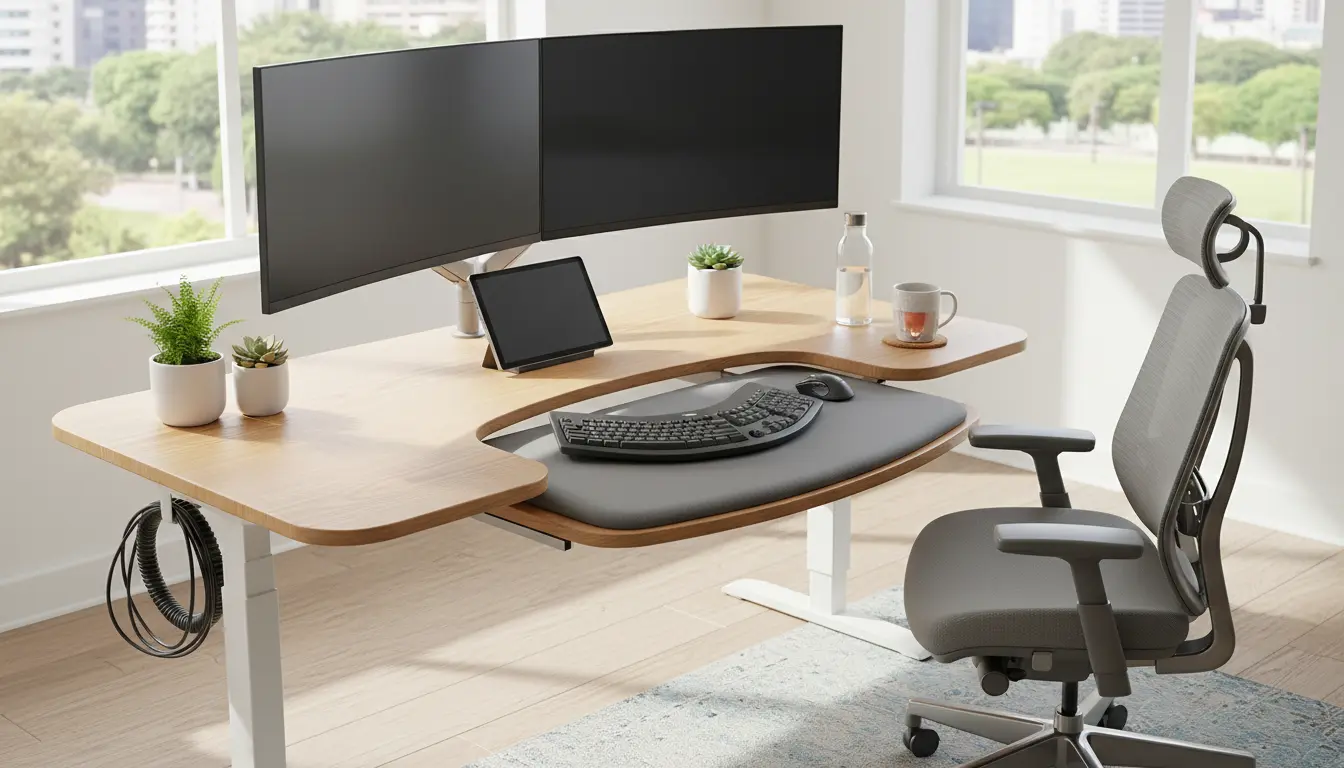
Home Office Ergonomics Basics
Home office ergonomics means arranging your desk, chair, and equipment so your body works with less strain. Small changes can reduce pain, improve focus, and prevent long-term issues.
This guide gives clear, actionable steps you can apply within a single work session. Use it to evaluate your current setup and make steady improvements.

Adjusting your monitor height by 2 to 3 centimeters can reduce neck strain noticeably. Even small adjustments matter over an 8-hour workday.
Key Principles of Home Office Ergonomics
Keep a neutral posture: spine aligned, shoulders relaxed, elbows near 90 degrees. Neutral posture reduces pressure on joints and muscles.
Optimize interaction zones: position frequently used items within easy reach to avoid repetitive twisting or stretching. This saves energy and lowers injury risk.
Monitor and Screen Height for Home Office Ergonomics

Place the top of the screen at or slightly below eye level. Your eyes should hit the screen about 5–10 degrees below horizontal when looking straight ahead.
Maintain about an arm’s length distance from the screen. Adjust brightness and contrast to reduce glare and eye strain.
Chair and Back Support
Use a chair that supports the lower back curve. If a lumbar support is missing, add a small cushion or rolled towel behind your lower back for support.

Keep hips slightly higher than knees when possible. This position eases pressure on the lower spine and encourages a straight posture.
Desk Height and Keyboard Placement
Desk height should allow forearms to be parallel to the floor when typing. Wrists should remain straight, not bent up or down.
Use a keyboard tray or adjustable desk if your desk is too high. Consider a split or angled keyboard if you have persistent wrist discomfort.
Mouse Usage and Minimal Strain
Keep the mouse close to the keyboard to avoid reaching. Use your whole arm to move the mouse rather than pivoting at the wrist when possible.
Try alternate devices like a trackball or vertical mouse if ordinary mice cause wrist pain. Small changes can reduce repetitive strain.
Lighting and Glare Control
Position your monitor perpendicular to windows to reduce direct glare. Use adjustable task lighting for paperwork rather than bright overhead lights.
Reduce blue light exposure in the evening using screen settings or apps to help maintain healthy sleep patterns.
Movement, Breaks, and Microbreaks
Stand up and move for 1–2 minutes every 30–45 minutes. Short breaks restore blood flow and reduce muscle fatigue.
Try a 20-5 pattern: 20 minutes of focused work, 5 minutes to stand and stretch. Use reminders or apps to prompt movement throughout the day.
Home Office Ergonomics Checklist
- Monitor: Top at or slightly below eye level, arm’s length away.
- Chair: Lumbar support, hips slightly above knees, feet flat or on a footrest.
- Keyboard: Elbows at 90 degrees, wrists neutral.
- Mouse: Close to keyboard, consider ergonomic options.
- Lighting: Reduce glare, use task lighting for documents.
- Movement: Short breaks every 30–45 minutes, standing or stretching.
Tools and Small Adjustments
You don’t need an expensive setup to improve ergonomics. Use household items like books to raise a monitor or a cushion for lumbar support.
Invest in a simple footrest if your feet don’t reach the floor comfortably. Adjustable monitor stands and laptop risers are low-cost helpers that yield big improvements.
Case Study: Reducing Back Pain in Two Weeks
Maria, a freelance graphic designer, reported daily lower back pain after long work sessions. She applied three changes: raised her monitor, added lumbar support, and set a timer for breaks.
Within two weeks she reported a 60 percent reduction in pain intensity and increased focus. Her freelance output rose 15 percent as she worked in shorter, fresher blocks of time.
Maintenance and Long-Term Habits
Reassess your setup every few months or after changes like new equipment or a different chair. Small drift in posture can accumulate unless corrected.
Build routines: a morning check of chair and monitor height, and a midday stretch series. Consistency prevents problems before they start.
Quick Start Steps for Immediate Improvement
- Raise or lower your monitor so the top is at eye level.
- Adjust chair height so feet are flat and forearms are parallel to the desk.
- Set a recurring timer for movement every 45 minutes.
- Use a cushion or rolled towel for extra lumbar support if needed.
Conclusion: Practical Ergonomics for Real Life
Home office ergonomics is about small, manageable changes that reduce pain and boost productivity. You can make many improvements with low-cost adjustments and new habits.
Start with the checklist and one or two changes this week. Reassess after a fortnight and adjust further based on what feels better for your body.